
Sogni Studio for Mac
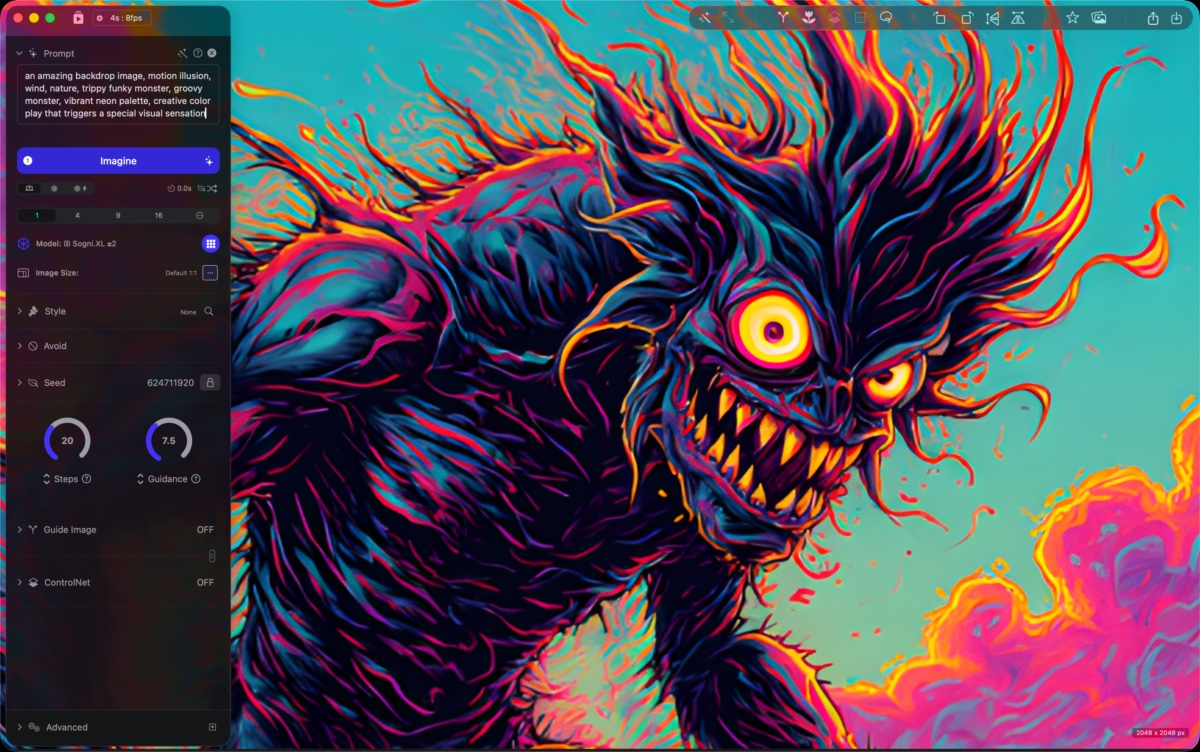
Sogni Studio is the native macOS app for Sogni Create. It is the most full-featured surface in the Sogni Create family — every generation control, every reference-image slot, the full ControlNet stack, image and video creation, audio, in-app Chat, and on-device model imports — wrapped in a real desktop app with project files, an Activity window, and a persistent background queue.
#Get Sogni Studio on the Mac App Store →
Requires macOS 14.0 or later. Apple Silicon recommended for on-device generation.
#Meet the new Creative Assistant
Agentic AI-assisted creation is now live in Sogni Studio, Sogni Pocket, and Sogni Creative Agent.
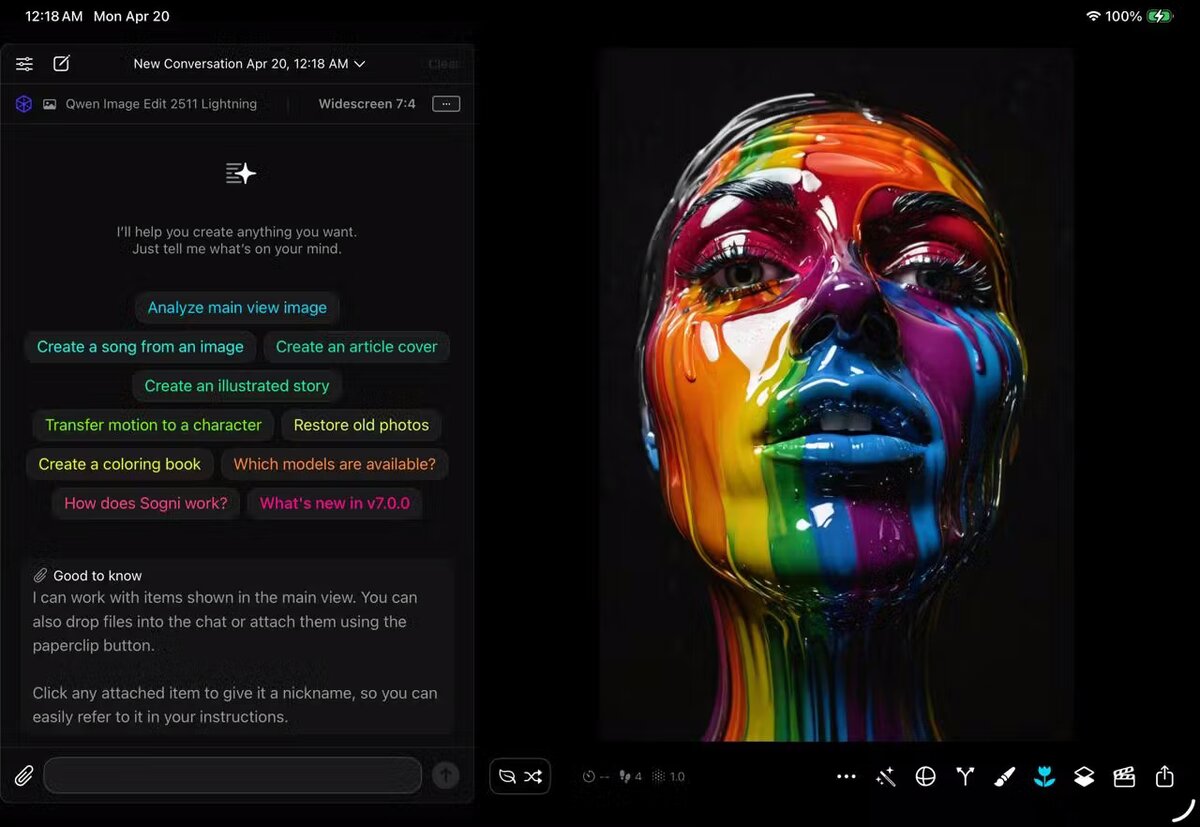
The Creative Assistant is where Sogni Intelligence starts changing the feel of the product: less hunting through settings, more telling Sogni what you want to make and letting the assistant assemble the right workflow.
Choose the creation style that fits the moment:
- Agent mode — chat-first creation. Tell it what you want and it picks models, writes prompts, and runs multi-step workflows for you.
- Guided mode — chat with controls. The assistant helps, you decide.
- Manual mode — the classic Sogni workflow, untouched.
It handles image generation, editing, video and music creation, prompt writing, model selection, settings, media analysis, and multi-step flows — and understands the Sogni UI, Supernet, assets, and system logic, while respecting your safety filter settings. You bring the idea; it helps with the rest.
See Chat & creative tools for the tool catalog the assistant draws from.
#What it does
- Native macOS, built in SwiftUI. Project files (
.sogni), multi-window workflows, system menus, an Activity window with running / queued / ready / reviewed sections, and a toolbar mini-view that surfaces queue status at a glance. - The deepest generation controls in the Sogni Create family. Every parameter that exists on the web or Pocket lives here too, plus controls that only make sense with desktop screen real estate — per-frame keyframes, multi-track clip mixing, 9-quadrant inpainting canvas, multiple-angles 3D remapping.
- Full ControlNet stack with Flux Context. Sketch, depth, pose, face, pose+face, segmentation, segmented subject, segmented background, plus up to 3 Flux context images per generation.
- Models on disk. Studio downloads model packs into its sandboxed Application Support folder and keeps them across sessions. Browse the model registry — Krea 2 Turbo, Z-Image Turbo, Chroma, Qwen Image Edit, Flux, SD 1.x/2.x, SDXL, SD3, LTX-2.3 video — and import your own.
- Two processing modes. Run on-device with CoreML (4 GB+ RAM, Apple Silicon recommended) or submit to the Sogni Supernet over WebSocket for batches and heavier models. Switch per-job.
- Video creation. Text-to-video, image-to-video, sound-to-video, audio-to-video, motion transfer, and AnimateReplace — plus a timeline-based Clip Mixer for combining generated clips into longer pieces.
- Audio creation. Songs with AI-generated lyrics, instrumentals, and a curated library of musical style presets, powered by MiniMax Music 3 and the ACE-Step model family (ACE-Step adds BPM / key / time-signature controls).
- In-app Chat. Talk to a creative assistant that can read images, analyze video, generate transitions, animate scenes, and drop results into the same gallery. See Chat & creative tools.
- Image enhancement. A library of AI filters across realism, focus, blur, color, contrast, noise, resolution, and restoration categories for post-generation polish.
#Built on Sogni Create
Studio shares its feature set with the rest of the Sogni Create family. Prompts, ControlNet, models, video workflows, and generation settings work the same way on the web, on Pocket, and on Android — Studio just gives you all of them at once on a single screen, with more reference-image slots and more parallel jobs.
The feature reference under Creating images and Creating videos applies to every Sogni Create surface. Where a feature is desktop-only — Canvas, Clip Mixer, multi-monitor project files, in-app Chat — the docs call it out.
#Studio vs Studio Pro
Studio (this page) is the Mac App Store build. Sogni Studio Pro is a separate, direct-download build of the same app that adds Worker Mode — contribute your GPU and Neural Engine to the Supernet, render jobs for other users, and earn SOGNI tokens. Everything else is identical.
If you want to create on a Mac, get Studio. If you also want to earn by renting out idle compute, get Studio Pro on top.
#Tips for getting started
- Let model packs download in the background. First-run downloads of SDXL or Flux models can be multi-gigabyte. Start with Krea 2 Turbo, SDXL Turbo, or Z-Image Turbo and queue the bigger ones for later.
- Pick a processing mode per job. On-device is free and private but limited to one job at a time. Supernet handles batches of 10+ in parallel and runs heavier models.
- Save projects.
.sognifiles preserve prompts, settings, reference images, and the full generation state — useful for revisiting a session. - Use the Activity window. Long batches keep running while you work in other apps; the mini-view in the toolbar shows progress without context-switching.