
Sound to Video
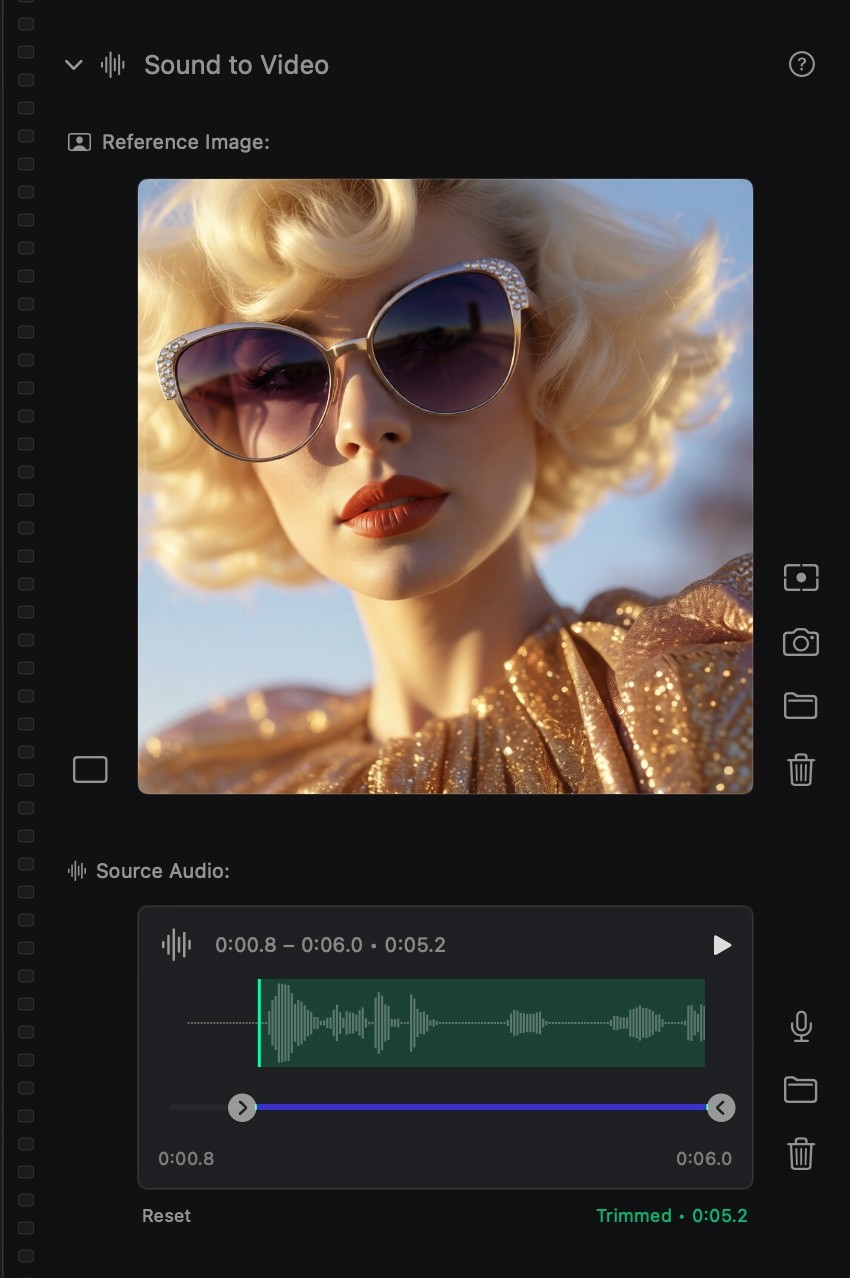
Sound to Video (S2V) lets you treat an audio track as the source of motion. You provide a reference image for the look — character, subject, scene — and an audio file or live recording for the timing. The generated video's pacing, motion energy, and on-screen events follow the audio's rhythm and dynamics.
This works especially well for:
- Music-driven visuals — clips that pulse with the beat.
- Performances and lip-sync — the subject's mouth and head move in time with vocals.
- Ambient scenes — gentle motion that follows a soundscape rather than a beat.
#How to use it
- Switch Create mode to Video.
- Open the Sound to Video panel in the sidebar.
- Add a reference image — a still that defines the subject and look. (A frame from another video also works.)
- Add audio — either:
- Drag in a
.wav,.mp3,.m4a, or other audio file, or - Click the microphone button to record live from your Mac's input.
- Drag in a
- Trim the audio to the segment you want to drive the clip.
- Write a prompt that describes how the scene should evolve as the audio plays.
- Pick a video model that supports audio conditioning. LTX-2.5 uses A2V without a reference image and IA2V with one; LTX-2.3 rollback and S2V-tuned Wan models remain available.
- Generate.
The mic button records straight from your Mac's selected audio input. Useful when you want to sing or speak the soundtrack rather than pulling a file in.
#Prompt tips
The audio determines motion timing — your prompt should describe the scene, not the rhythm:
- ✅ "A neon-lit jazz club, smoke curling under spotlights, saxophone player at the mic"
- ❌ "Person moves to the beat, then pauses, then moves again"
Use Screenwriter (the cinematic prompt expander in Studio's chat panel) for stronger natural-language video prompts.
#Audio-to-Video without a reference image
If you don't add a reference image, Studio falls back to Audio-to-Video (A2V) mode — the audio alone drives both motion and visual content. Useful for purely audio-reactive abstract clips. Quality varies more than S2V; a reference image usually produces stronger output.
#Make a soundtrack inside Studio
Studio also generates audio. If you don't have a track yet, switch to Audio mode, generate a clip with Creating Audio, then bring the result back here as your source.