

Sogni Vibe
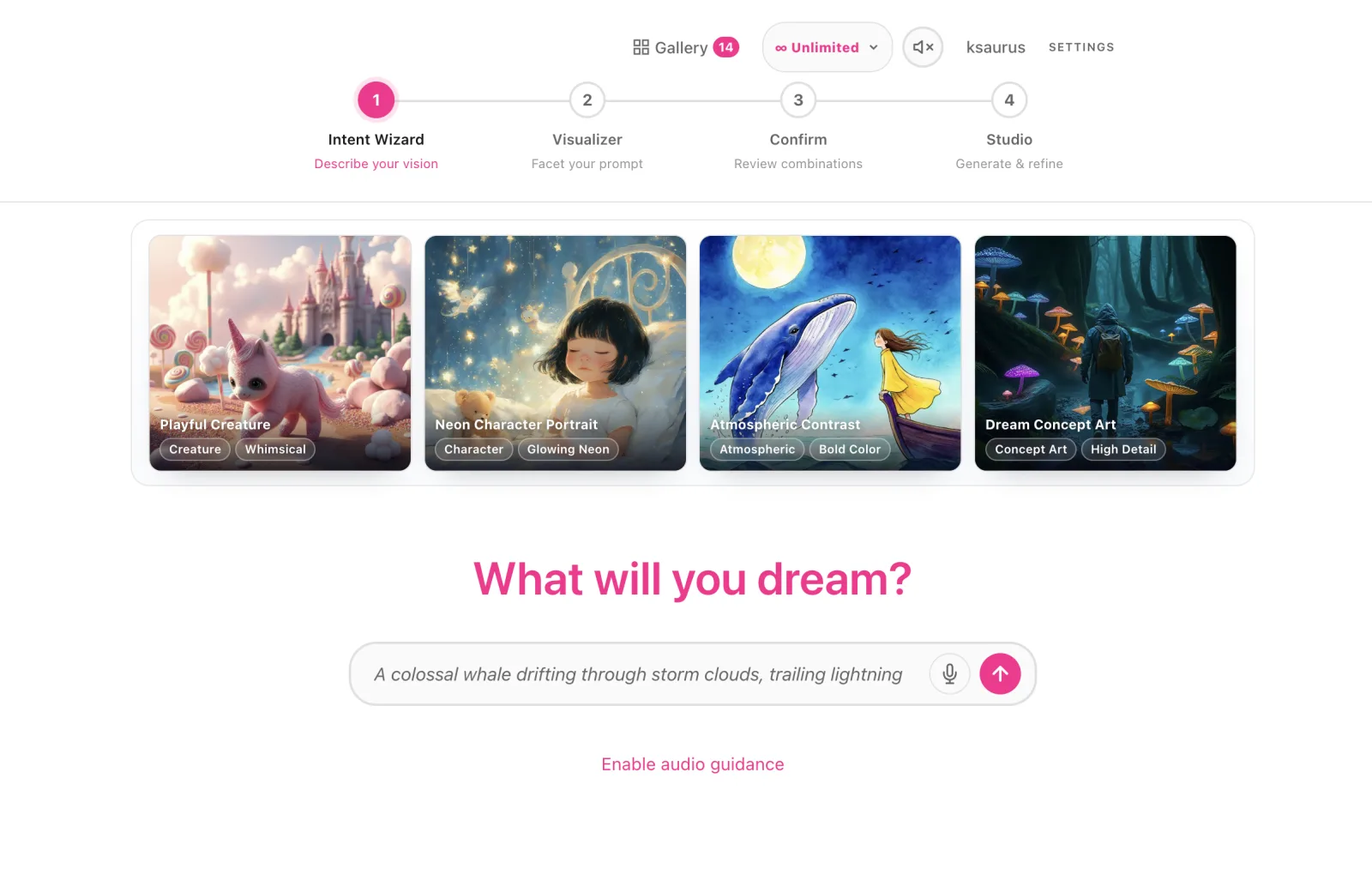
An AI image ideation tool for the "I'll know it when I see it" phase. Type (or speak) a rough idea, answer a few guided questions, and refine live batches of images until the result matches the picture in your head — then bring your favorites to life as video.
#Launch Sogni Vibe →
#What it does
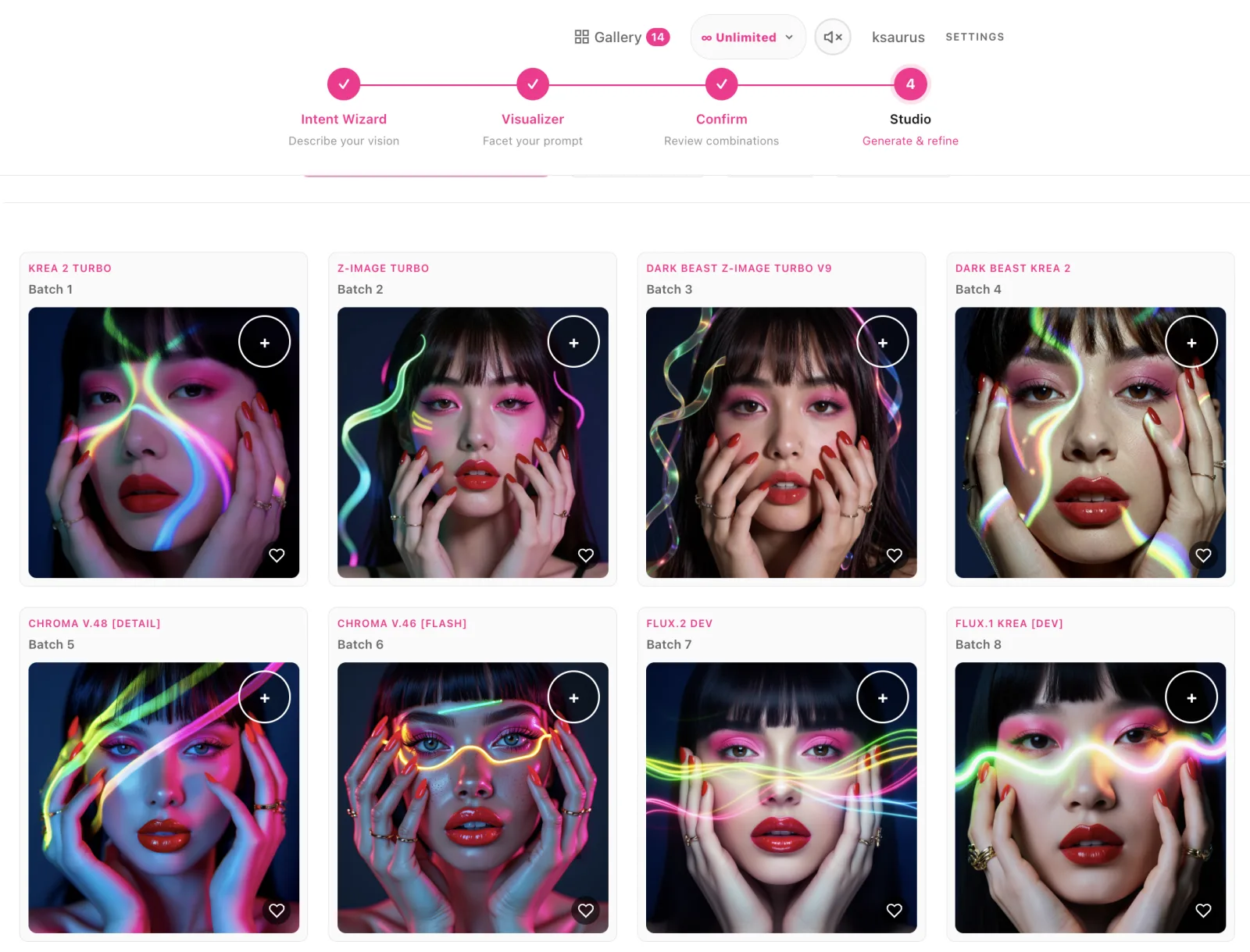
- Five phases, one flow. The Intent Wizard captures your vision, the optional Visualizer decomposes your prompt into a node graph you can facet, Confirm shows the prompt × model × image math before you spend, Studio generates and refines, and the Gallery keeps your favorites.
- A wizard that asks the right questions. A dynamic LLM-driven Q&A fills in the creative details your one-liner left out. Multi-select answers become facets that multiply into prompt variations.
- Start from anything. Type your idea, speak it, or drag and drop an image — Vibe converts it into a text prompt you can evolve.
- Talk to it — it talks back. Vibe is the first Sogni app with full two-way voice, powered by Sogni Voice: speech-to-text turns a spoken idea straight into your prompt, and an optional text-to-speech guide reads the wizard aloud so you can keep creating hands-free.
- Live streaming batches. Renders stream in as previews across multiple models side by side. Select one image and Vibe refines its prompt for the next round; select several and it merges them, weighting repeated picks from the same batch more heavily.
- Roll, edit, diversify. Roll for random variations, edit the master prompt directly at any point, or diversify a batch that's converging too early.
- A model lineup for every look. Z-Image Turbo, Krea 2 Turbo, Chroma, Qwen Image, and more — reorder and toggle models in Studio Settings, with eight aspect ratios from 9:16 to 5:2 at standard or HD resolution (plus custom sizes).
- Favorites that persist. ♥ the keepers into your Gallery — stored locally on your device — then download or share them.
- Animate your keepers. Signed in, animate one or more favorites with LTX-2.3 (native 24 fps with synchronized audio, up to 20 s per clip) or WAN 2.2 (reliable motion with optional 32 fps smoothing).
- Free to try, more when signed in. Guest mode works with no account — 2 models × 2 images per batch, up to 1024×1024. A free Sogni account unlocks every model, custom batch sizes and resolutions, and video — and logging in on any Sogni app signs you into Vibe automatically.
Vibe is built on the Sogni Client SDK, with the wizard and prompt refinement powered by Sogni Intelligence.
#Workflows
Concept exploration. Type a vague idea ("witch in a library"), let the wizard fill in style, mood, and lighting, then generate. Multi-select across batches to merge the directions you like into the next round.
Remix an existing image. Drag and drop (or paste) an image onto the prompt box and Vibe converts it into a text prompt. It's a fast way to ideate from material you already have — or to re-imagine a finished render on a new canvas: drop it in, pick a different aspect ratio in Studio Settings, and generate.
Same prompt, many models. Hold Shift as you hit the submit button and Vibe skips the wizard's follow-up questions entirely, taking your exact prompt straight to Studio. Enable a few models side by side to see how each one interprets the identical prompt.
Style locking. Once a look is working, single-select your favorite and let Vibe refine just that image's prompt. Keep iterating until the variance drops and every render lands close.
Faceted sweeps. Open the Visualizer and split your prompt into components — subject, mood, palette — then facet the ones you're unsure about. Confirm shows exactly how many images the combinations will produce before you commit.
From still to motion. ♥ your best render into the Gallery, then animate it: LTX-2.3 when you want sound baked in, WAN 2.2 for dependable motion — in formats from square to cinematic ultrawide.
#Tips for best results
- Let the wizard work. It only asks for what's missing — skipping it usually means worse early batches.
- Multi-select for merges, single-select for refinements. Repeated selections from the same batch weight that prompt more heavily in the merge.
- Edit the prompt directly. The master prompt is editable at every step; the wizard is a starting point, not a cage.
- Download what you want to keep. Favorites persist on your device, but the working session lives in memory — finished videos especially should be downloaded before you close the tab.
#See also
- Sogni Worlds — turn an opening image into a cinematic adventure with choices and animated paths.
- Sogni Chat — conversational creative studio with the same iterate-and-refine instincts.
- Sogni Photobooth — Web and Android — selfie-to-portrait apps on the same Supernet.
- Sogni 360 — turn one still into an orbital video, or stitch stills into a montage.
- Sogni Client SDK — the SDK that powers Vibe's generation.
- Source on GitHub