
Sogni Photobooth for Web and Android
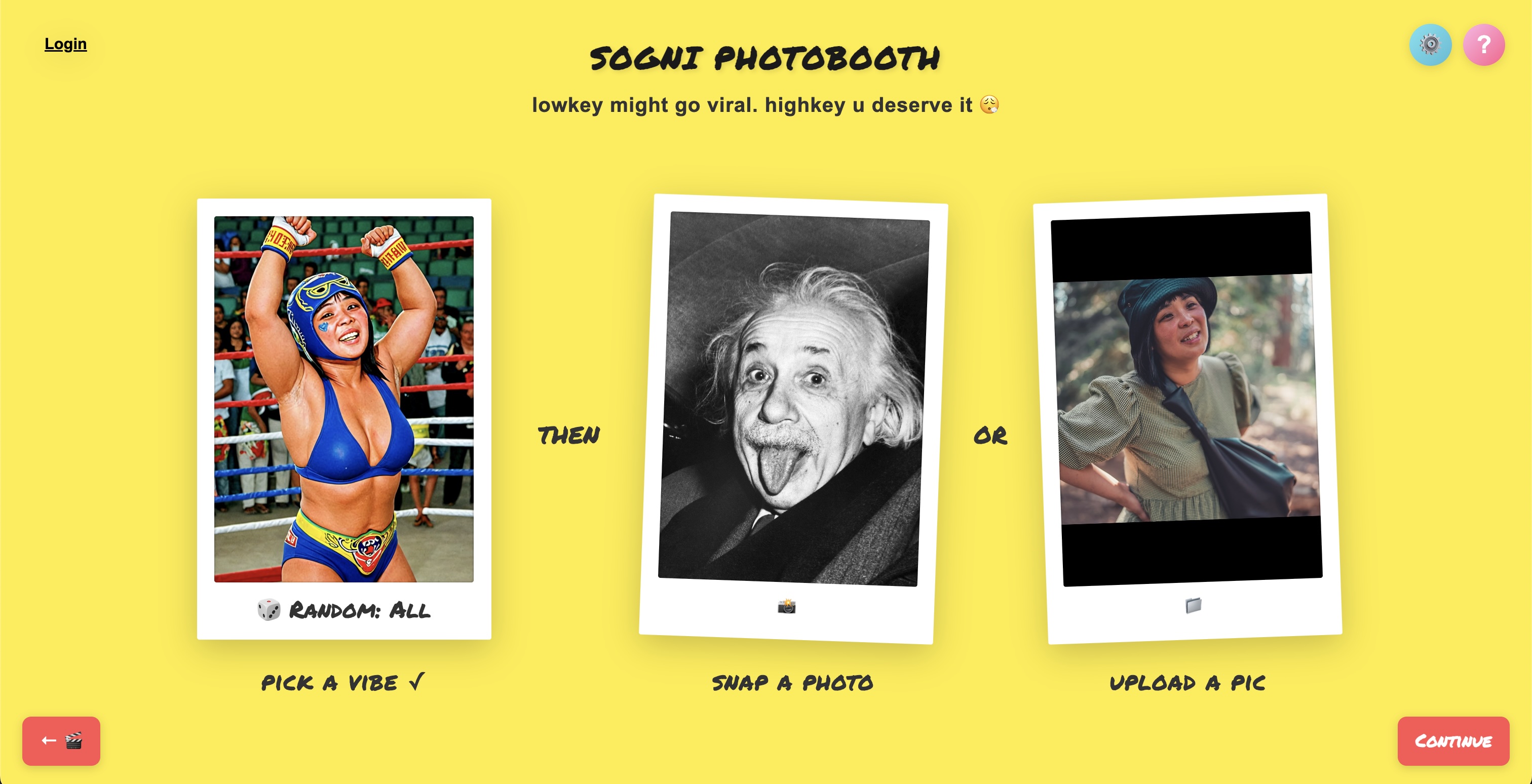
Sogni Photobooth is the easiest way to turn a selfie into stylized AI art. Snap or upload a photo, pick a vibe, and the Sogni Supernet generates portraits, character variations, and short videos in seconds — no model downloads and no local GPU. Use it in the browser at photobooth.sogni.ai or install Sogni Photobooth from Google Play for the Android app.
#Launch Photobooth on Web →
#Get Sogni Photobooth on Google Play →
#What it does
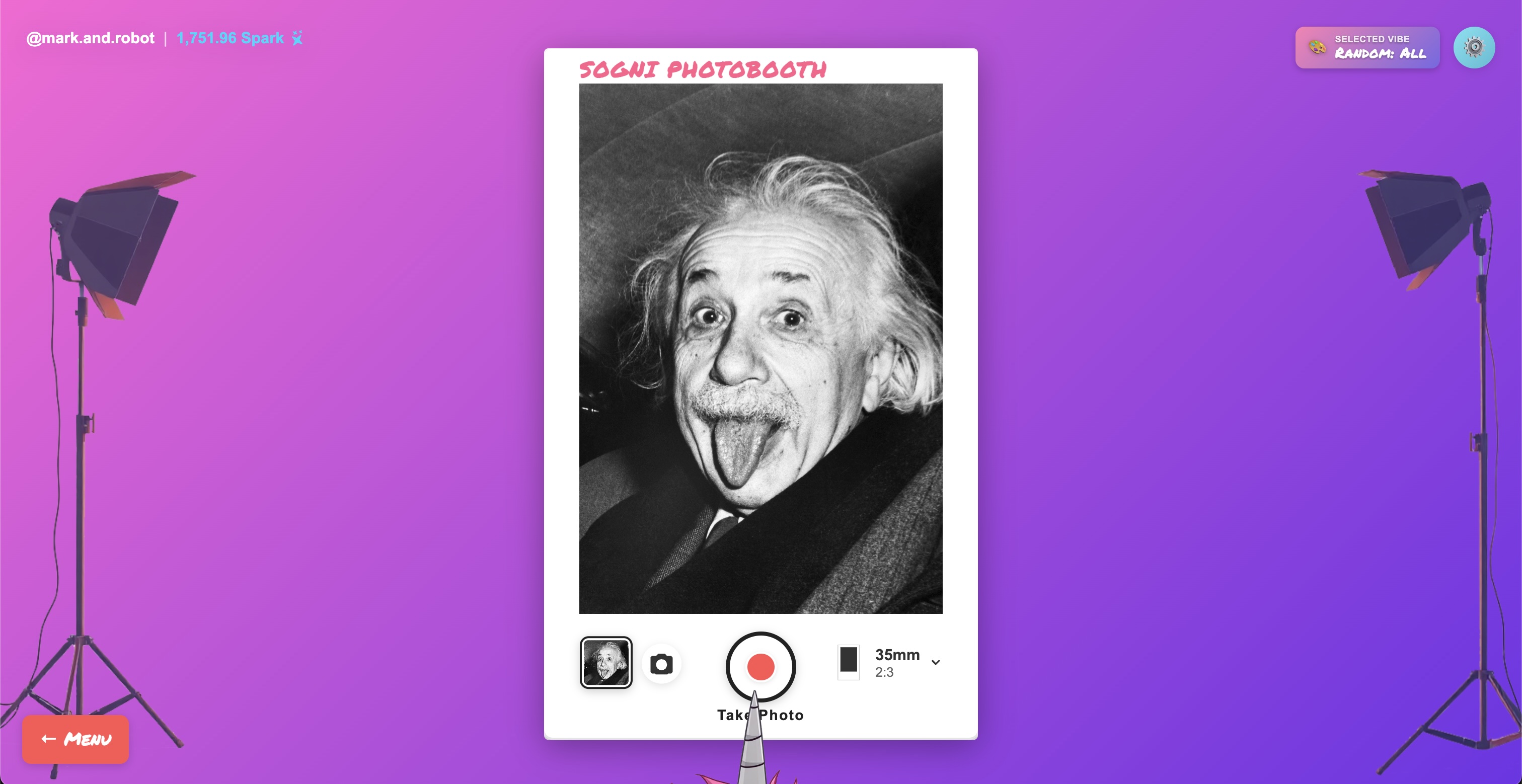
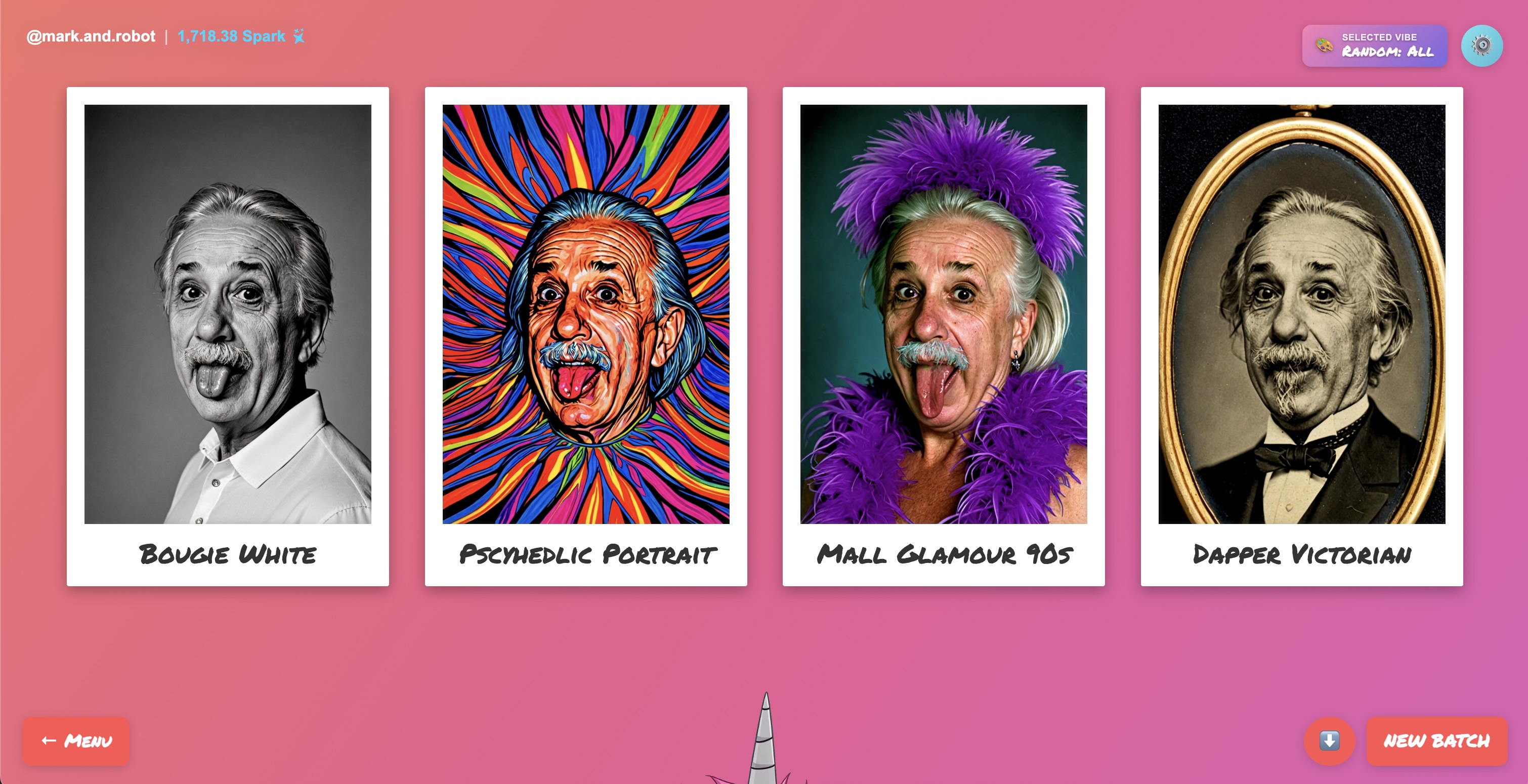
- Identity-preserving portraits. Keep your face; transform everything else — outfit, era, medium, world.
- Web and Android. Create from any modern browser or install the Android app on Google Play for phone-first access.
- 200+ curated style presets across 16 vibe categories, with seasonal rotations.
- Personalize. Type a theme like "world-famous paintings" or "Singaporean pop-culture parody" and Photobooth generates a custom series of prompts on the fly.
- Group photos. Multi-face detection that auto-routes you to identity-preserving models when there's more than one person in frame.
- AI editing & transformations. Turn yourself into Lego, claymation, Pixar, pixel art, Ukiyo-e, neon — or add cats, hats, glasses, and Viking helmets.
- Camera-angle remapping that re-renders the same subject from any of 96 angle combinations, plus pre-built multi-angle character sheets.
- Seven video styles — Emoji Video, Motion Transfer, 360 Camera, Replace Subject, Sound to Video, Batch Transitions, Prompt Video — powered by Wan 2.2 and LTX-2.3.
- Dance Montage recipe. Drive your portrait with a reference dance video and ACE-Step-generated music.
- Batch up to 256 concurrent generations on desktop (16 on mobile) — a single tap fills a whole gallery.
- Frontier likeness via OpenAI GPT Image 2, wired in alongside Sogni's own SDXL/Flux/Qwen models.
- Event & kiosk mode with QR-watermarked outputs, shared galleries, and physical print fulfilment.
Photobooth is built on the Sogni Client SDK — the same SDK that powers every Sogni app on the Supernet — and is published as an open-source reference integration.
#The style library
Photobooth ships a hand-tuned library of ~200 style presets organized into 16 active categories. Each preset has a preview thumbnail in the picker so you can see the look before you generate.
| Category | What's in it |
|---|---|
| Image Edit Styles | Lego, claymation, Pixar, pixel art, pop art, Ukiyo-e, Minecraft, Fortnite, tattoo flash, neon, doodle |
| Anime / Manga / Chibi | 90s anime, Kawaii, Ghibli meadow, pixel chibi, lunar chibi |
| Classical & Vintage | Art Nouveau, Klimt gilded, Picasso cubist, Van Gogh, 90s house party |
| Comics & Caricature | Cel-shaded 3D, holographic trading card, sketch caricature, foil-emboss |
| Fantasy & Sci-Fi | Neon cyberpunk, mythic mermaid, wireframe head, sumi dragon |
| Glamour | Barbie, satin studio, fashion mag, Addams elegance, relax bath |
| Kitsch / Gags / Animals | Sloth hug, clown makeup, kitty swarm, llama photobomb |
| Materials & Printmaking | Watercolour, woodblock, pointillism, embroidery, etching |
| Neon / Vapor / Glitch | Vaporwave, synthwave grid, prism kaleidoscope, laser grid |
| Pixel / NFT / Retro Game | Bored Ape, CryptoPunk, Doodles, pixel art, dungeon crawler |
| Pro / Editorial | Bougie black/white, pro headshot, vintage Hollywood, film-grain B&W |
| Raver / Costume / Party | Candy raver, Y2K raver kid, space bot, Tron, tribal |
| Roleplay | Lo-fi beatmaker, pop idol, hip-hop MC, F1 driver, jazz saxophonist |
| Fighter | Boxer, pro wrestler, MMA champion, samurai ronin, Muay Thai |
| Street / Graffiti / Poster | Banksy stencil, pop graffiti, 70s rock poster, Gorillaz, grid-paper doodle |
| Favorites | Your saved presets across categories |
Seasonal collections (Halloween, Christmas / Winter) rotate in around their events and disappear again when the season ends, so the picker stays focused.
#Personalize: generate your own vibe series
Don't see the exact look you want? Open Personalize and describe a theme in plain English:
- "Parody of world-famous paintings and art"
- "Photobooth themes for a 12-year-old boy's birthday party"
- "Famous magazine covers with titles"
- "Singaporean cultural landmarks and pop-culture parody"
- "Album covers from the 70s, 80s, 90s, 2000s"
Photobooth expands your input into up to 16 fully-formed prompts — each with its own name and styling — and drops them into a new Personalized category in your picker, ready to generate against any model.
Behind the scenes, Personalize defaults to GPT Image 2 for frontier likeness preservation, but you can swap it to Stable Diffusion or Qwen Image Edit if you want a different aesthetic. Personalized vibes persist per wallet (logged-in) or per session (demo), and at branded events they're shared across every attendee so a whole party can riff on the same custom theme.
#Group photos
Photobooth detects multiple faces in your input and, if your selected model is tuned for single portraits, offers to switch you to Qwen Image Edit 2511, a context-aware model that preserves every identity in the frame. From there, every style preset, edit transformation, and video workflow applies to the whole group at once.
#Models
Photobooth ships a curated mix of fast SDXL turbo / lightning models, full-quality diffusion models, identity-preserving edit models, and the OpenAI frontier model:
| Model | Strength |
|---|---|
| Sogni.XLT α1 (SDXL Turbo) | Default — fast generation, broad style range |
| DreamShaper v2.1 (SDXL Turbo) | Stylised portraits with strong aesthetic bias |
| JuggernautXL 9 + RD Photo2 (SDXL Lightning) | Photorealistic headshots |
| RealVisXL v4 / RealDream / FenrisXL / epiCRealism XL / wildcardx XL | Photorealism and stylistic variety across SDXL Lightning |
| Qwen Image Edit 2511 Lightning | Identity-preserving edits in 4 steps |
| Qwen Image Edit 2511 | Higher-quality identity-preserving edits (up to 50 steps) |
| GPT Image 2 | OpenAI's frontier image model — best likeness preservation |
All models run on the Sogni Supernet — you don't manage them, install them, or pay per call. Logged-in users hit the SDK directly for lower latency; demo users go through the same backend used by every other Sogni app.
#Choose Your Video Style
Photobooth has the broadest video toolkit of any Sogni superapp. The Choose Your Video Style picker exposes seven distinct workflows, all driven off a single source portrait. Two model families (Wan 2.2 14B and LTX-2.3 22B) split between them, with four quality tiers each — Fast (≈4 steps), Balanced (≈8 steps), Quality (≈20 steps), Pro (≈30 steps). Default output is 480p at 32 fps (Wan's 16 fps interpolated post-render); LTX-2.3 generates natively at 24 fps and supports longer clips.
| Video Style | Backed by | What it does |
|---|---|---|
| Emoji Video | Wan 2.2 I2V | Pick a motion via emoji — 160 emoji-based motion presets that bring a still portrait to life. |
| Motion Transfer | Wan 2.2 Animate Move or LTX-2.3 V2V | Drive your portrait with a reference video — inherit its dance, walk, or gesture. |
| 360 Camera | Wan 2.2 I2V | Smooth orbital camera move around your subject from a single still. |
| Replace Subject | Wan 2.2 Animate Replace | Swap the person in any video with your portrait, preserving motion and background. |
| Sound to Video | Wan 2.2 S2V or LTX-2.3 IA2V | Sync your portrait to audio for lip-sync, beat-match, and music-driven shorts. |
| Batch Transitions | Wan 2.2 I2V | Stitch 2+ portraits into a looping reel with AI-generated transitions between every frame. |
| Prompt Video | Wan 2.2 I2V | Describe what should happen — "waves crashing behind", "snow falling" — and let the model animate it. |
#See them in action
#Audio for Sound to Video
You can upload an existing audio clip or generate one on the fly with ACE-Step 1.5 (Turbo or SFT) — Photobooth's built-in music generator supports 40+ languages, BPM/key/scale control, and clips from 10 seconds to 10 minutes.
#AI editing & transformations
The Image Edit Styles category bundles 19 dedicated transformation presets that go beyond restyling — they reshape the subject:
Lego · claymation · Pixar · Simpsons · Mario Kart · Minecraft · Fortnite · pixel art · pop art · Ukiyo-e · doodle art · tattoo flash · neon · Viking · boxer · bodybuilder · bobblehead · cloned subject · "hats and glasses"
Each preset is wired to a Qwen Image Edit or GPT Image 2 backbone so likeness is preserved through the transformation. You can also use them in combination with any other workflow — turn yourself into a Lego version, then animate it into a video; or run the Viking through camera-angle remapping for a four-pose character sheet.
#Camera-angle remapping
Photobooth's Multiple Angles workflow re-renders the same subject from any combination of:
- 8 azimuths — front, front-right, right, back-right, back, back-left, left, front-left
- 4 elevations — low-angle, eye-level, elevated, high-angle (bird's eye)
- 3 distances — close-up, medium, wide
That's 96 unique angle combinations off a single source portrait — plus six one-tap presets (3/4 portrait, profile, hero shot, overhead, close-up, over-shoulder) and four multi-angle bundles (Simple Zoom Out, Zoom Out 360, Zoom Montage, Portrait Trio) that fill a character sheet in a single batch. Maximum 16 angles per request. Backed by the Multiple Angles LoRA on Qwen Image Edit 2511 Lightning.
The standalone Sogni 360 superapp is a focused expression of this same engine if you only need the camera-angle work.
#Workflow recipes
Professional headshot. Upload a clean portrait → Pro / Editorial category → 3:4 aspect → 16-image batch on JuggernautXL or RealVisXL → pick the best → run through Sogni Restore for a final upscale.
Character portrait. Fantasy & Sci-Fi or Anime category → 4-image batch → run the winner through the Portrait Trio multi-angle preset to build a consistent character sheet.
Custom theme for an event. Open Personalize, type the theme ("90s prom"), generate the prompt series, share the event link — every attendee can use the same custom vibes on their selfies.
Music video clip. Generate a portrait → Image-to-Video → Wan 2.2 Quality at 720p → optionally add audio via Sound-to-Video for a 5–8 s shareable clip.
Lip-synced short. Upload a song clip with your selfie → Sound to Video on Wan 2.2 S2V (or LTX-2.3 IA2V for longer clips) → beat-matched 5–10 s video.
Dance Montage. Pick your portrait → Motion Transfer with a reference dance clip → generate a backing track in ACE-Step → Photobooth stitches it into a multi-style dance reel where you're the star.
Group photobooth at an event. Auto-detected group input routes to Qwen Image Edit → batch generate across a curated event vibe → kiosk mode prints a QR-watermarked card on the spot.
#Aspect ratios
Seven supported ratios so output is right-sized for the destination:
Mobile (4:7) · 35 mm (2:3) · Portrait (3:4) · Square (1:1) · Landscape (4:3) · Cinema (3:2) · Widescreen (16:9)
Pick before you batch — re-rendering after the fact is cheap, but cropping a portrait into a widescreen rarely looks right.
#Sharing, kiosks, and prints
- QR watermark — every output can be tagged with a QR linking back to a sharable gallery; configurable position and size for kiosk deployments.
- Kiosk mode — full-screen UX designed for event laptops, tablets, and standing kiosks.
- Event branding — custom themes via Personalize stay scoped to the event so all attendees share the same vibe pool.
- Physical print fulfilment — order prints of any generation directly from the app; Photobooth integrates with Stripe and the Sogni print pipeline.
#Tips for best results
- Lighting beats resolution. Even lighting on the face matters more than camera megapixels.
- One face per shot for portrait modes. Use Group Photos mode (or let the auto-detect catch it) when there's more than one person.
- Pick an aspect ratio before generating. 3:4 for portraits, 1:1 for avatars, 16:9 for video.
- Use Fast mode for exploration, Pro for the keeper. Burn batches in Fast, then re-render the winner at higher quality.
- Try Personalize on niche themes. "World famous paintings" is a fine prompt; "Dutch still-life paintings from the 1600s with hidden symbolism" gets you something nobody else has.
- Multi-angle remapping is the fastest character sheet. A single good portrait + Portrait Trio = a full reference sheet in one batch.
- Save winners to Favorites. The Favorites category persists across sessions and is the easiest way to build your personal go-to set.
#See also
- Sogni Photobooth — Real-life experiences — kiosk, event, and hardware deployments.
- Sogni Photobooth on Google Play — Android app for portraits, headshots, and video portraits.
- Sogni Client SDK — the SDK that powers Photobooth.
- Sogni 360 — the camera-angle remap engine as a focused standalone app.
- Sogni Supernet — the network running every generation.