
Mac Studio Password Recovery
Using Sogni in a browser or the Android app? Go to the Web & Android sign-in recovery guide for Chrome, Safari, Edge, Firefox, and other password managers. That includes browser users on a Mac.
These steps are for the installed Sogni Studio or Studio Pro app on macOS. They help you look for a saved login in Keychain Access; a visible entry is not guaranteed. Sogni cannot reset your account password or email you a reset link.
#Find your saved password in Keychain Access
Use the Mac where you previously signed in to the installed Sogni app.
Hit Command+Space to open Spotlight on your Mac.
Type keychain in the search and open Keychain Access.
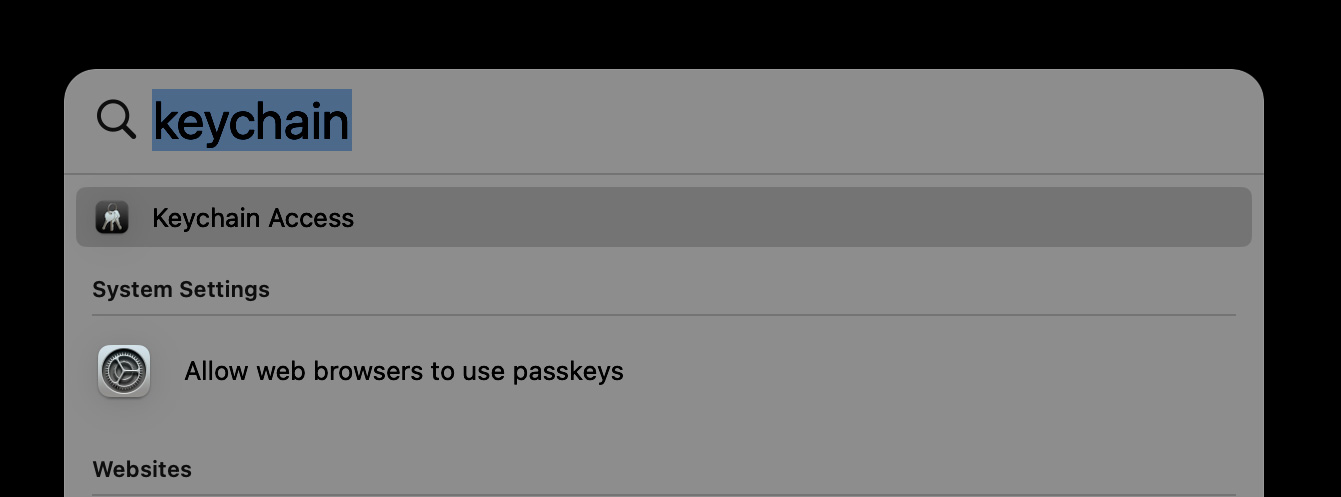
Search Keychain and Open Keychain Access
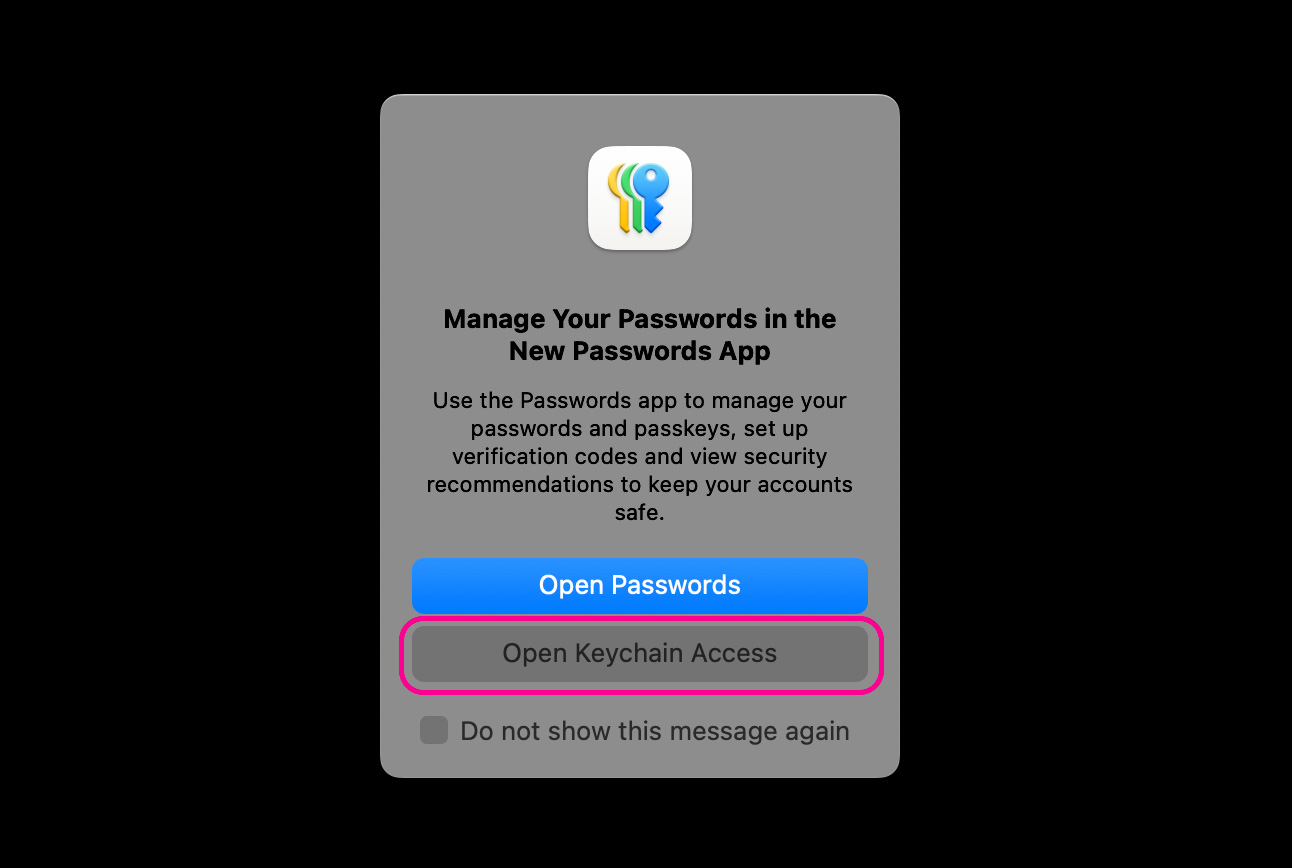
If the popup appears to manage your passwords in the New Passwords App, select Open Keychain Access.
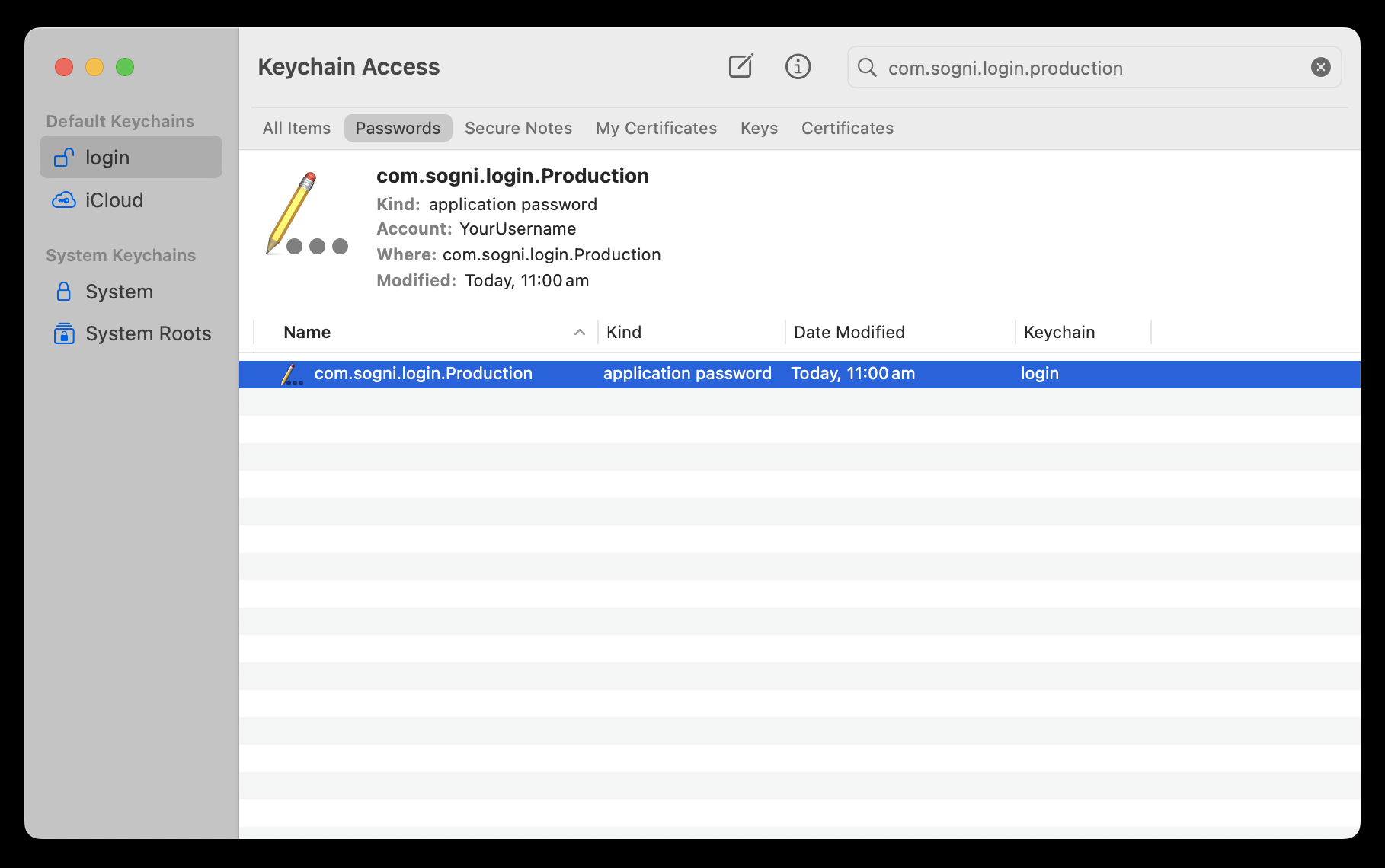
Select the Passwords category and search sogni. Look for a Sogni login entry. The screenshots show an older saved login; its label and capitalization may differ by app version.
Open the item. This may prompt you to enter your system password used when logging into your Mac, depending on your Mac's safety settings. If prompted, enter your system password.
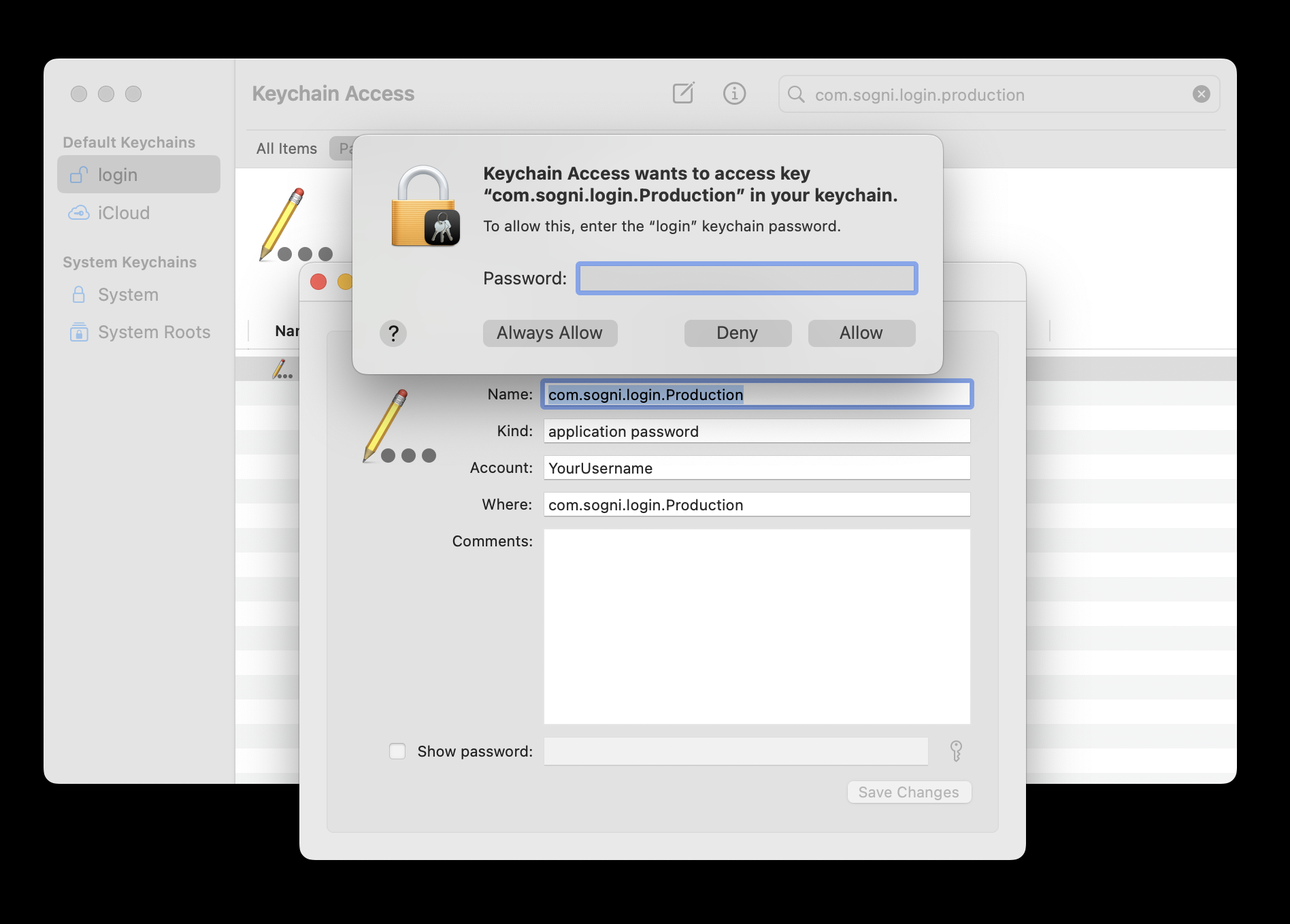
Click the Show password checkbox to show your password.
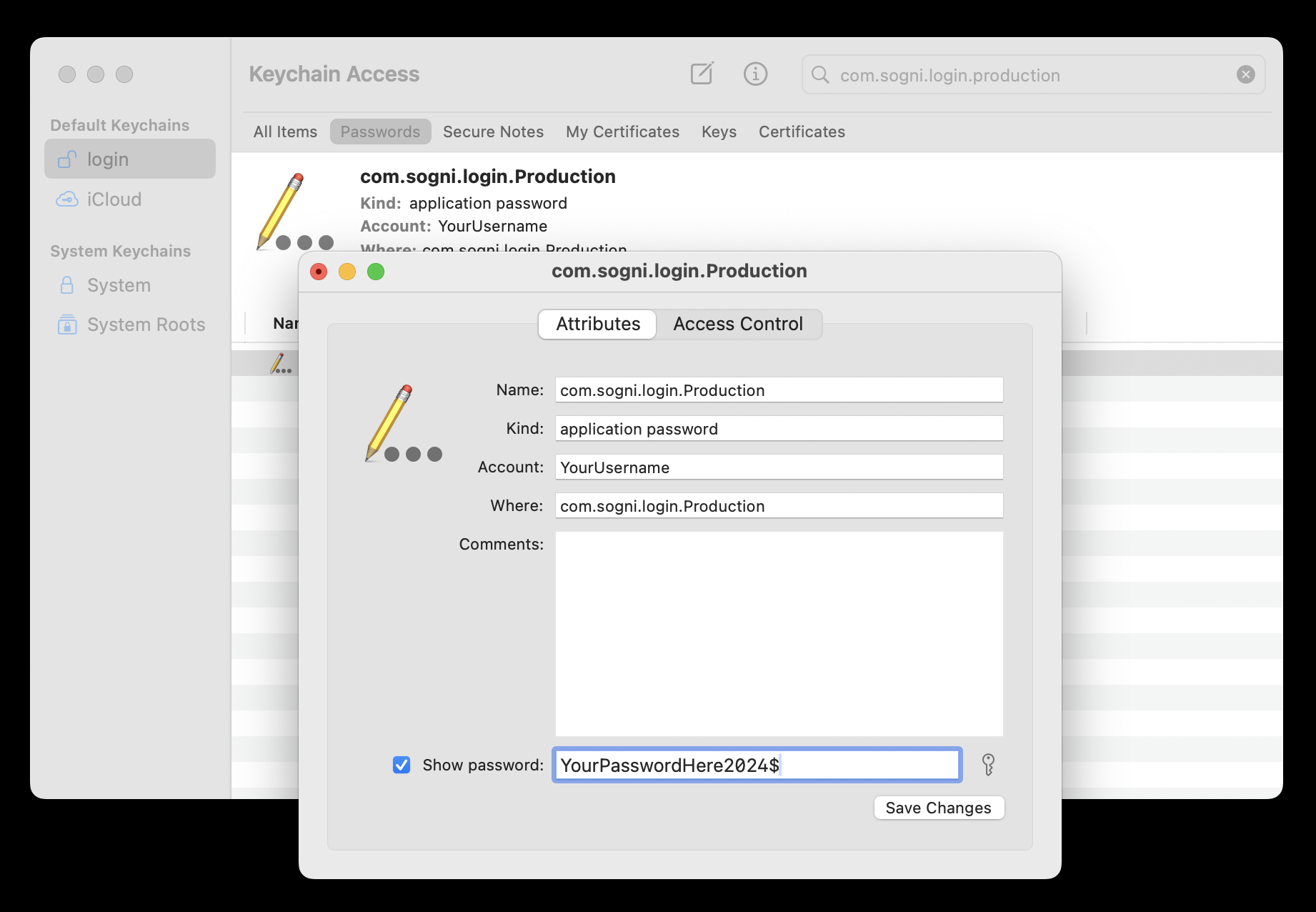
Copy your saved password and enter it into the password field when signing in to Sogni.
#If you cannot find the entry
If no saved login appears, this method cannot retrieve your password. Check any other Mac where you used the installed app. If you also signed in through a browser, check its saved passwords using the Web & Android recovery guide. If you are still signed in somewhere, keep that session open while you look for your credentials.
For help with next steps, email [email protected]. Include your username if known, your Mac and macOS version, and what you tried. Never send your password, private key, recovery phrase, or a screenshot showing a password.