
Dynamic Prompts
Dynamic Prompts turn a single prompt into a batch of variations. Wrap parts of your text in {} to enumerate options, prefix with a sampler character to control how options are picked, and Sogni will expand the prompt into a list of variants — one per image in your batch.
It's the same templating syntax popularized by SD Dynamic Prompts. Sogni supports it in any prompt field — Prompt, Style, and Avoid / Negative Prompt — across the entire Supernet (Fast and Relaxed).
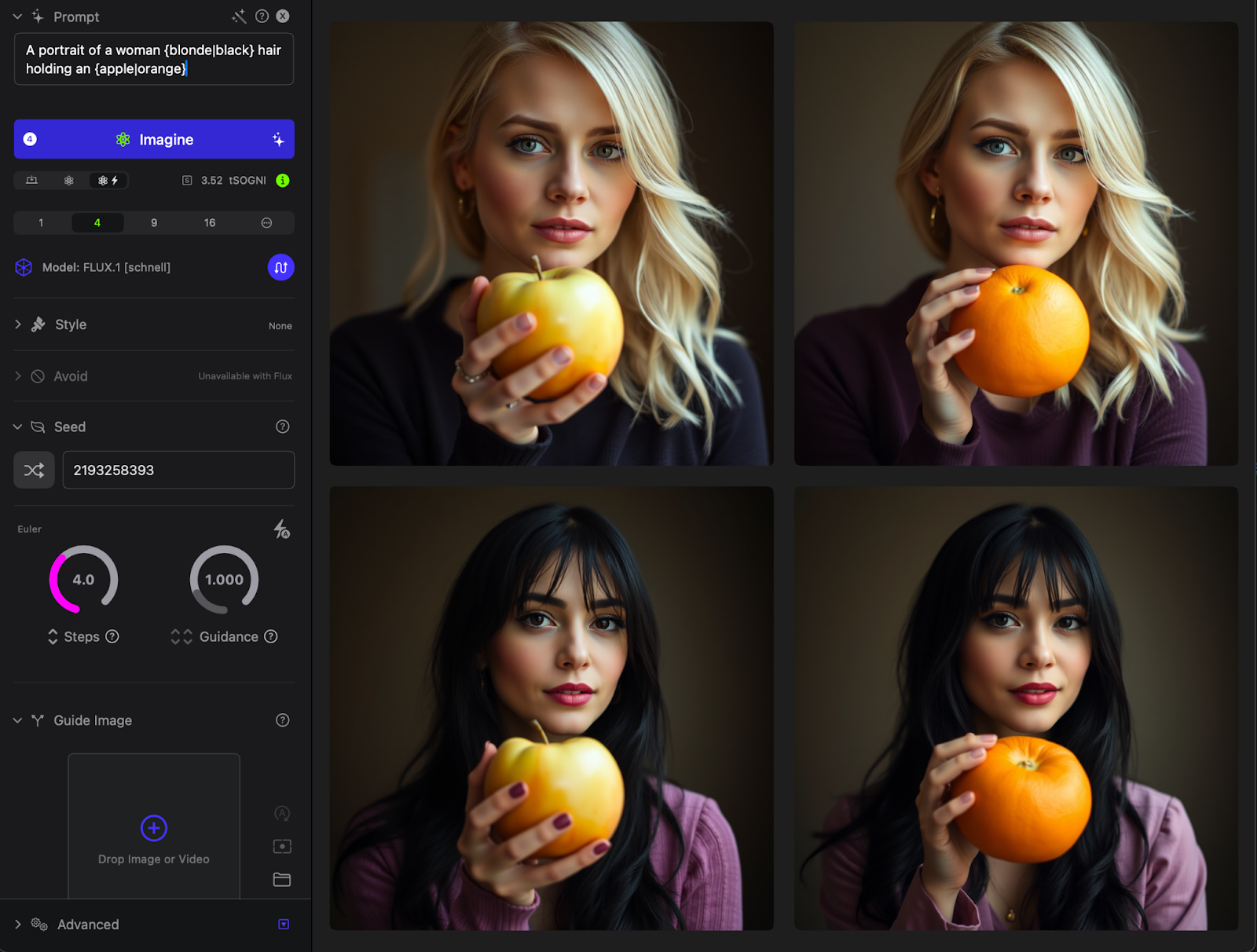
Prompt: A portrait of a woman {blonde|black} hair holding an {apple|orange}
#Combinatorial — {a|b|c}
Wrap two or more options in {}, separated by |. Sogni expands the prompt into every combination of every group.
A woman with {black|blonde} hair
Generates two prompts:
A woman with black hair
A woman with blonde hair
Stack multiple groups to multiply the combinations. This:
{man|woman} holding a {dog|cat} in the {winter|summer}
generates 2 × 2 × 2 = 8 unique prompts. If your batch is larger than the combination count, the sequence loops back to the start.
Spaces inside braces are ignored, so {black|blonde} and { black | blonde } produce the same output.
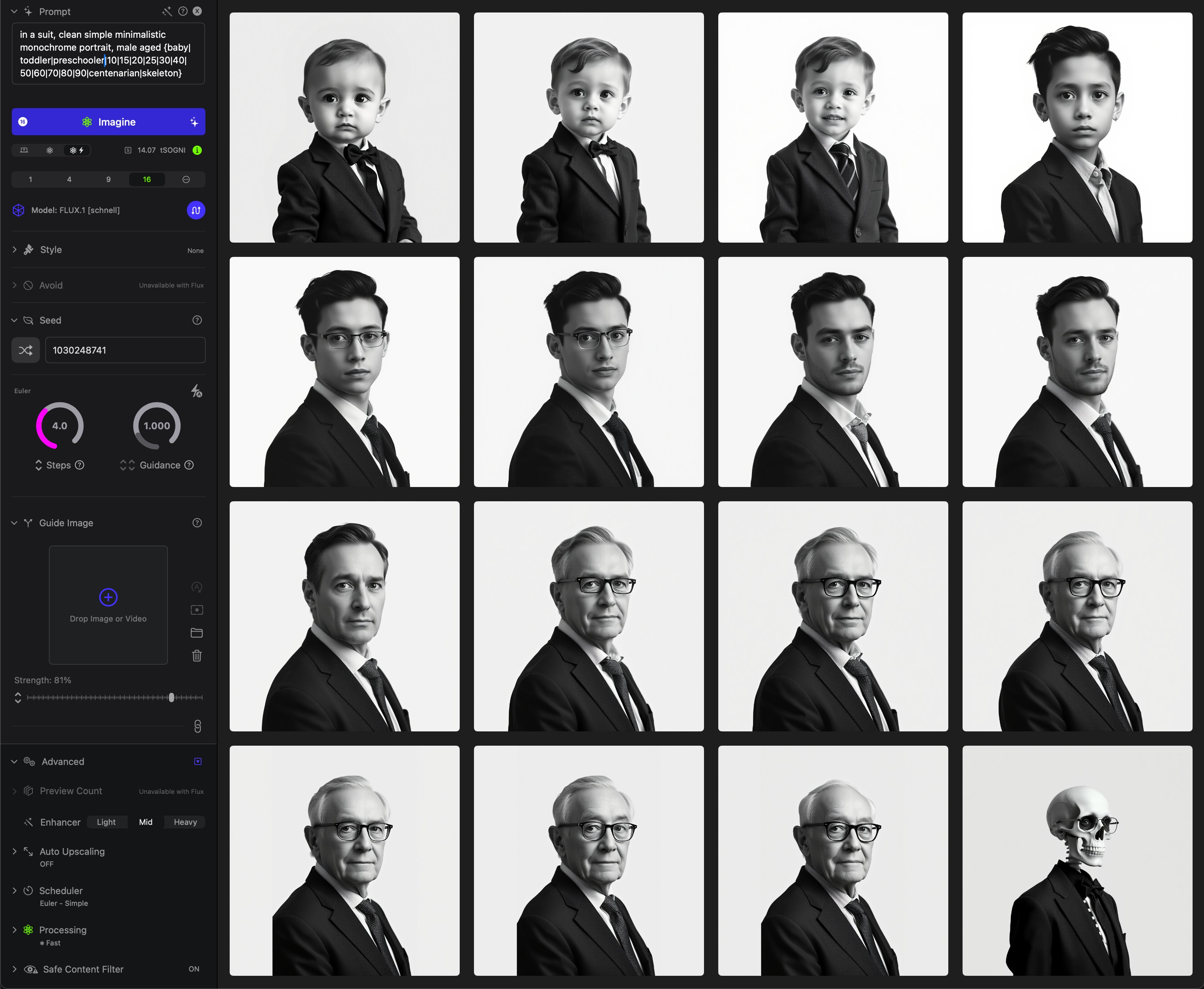
Prompt: in a suit, clean simple minimalistic monochrome portrait, male aged {baby | toddler | preschooler | 10 | 15 | 20 | 30 | 40 | 70 | 80 | 90 | centenarian | skeleton}
#Cyclical — {~a|b|c}
Add ~ after the opening brace to iterate option groups in lockstep instead of multiplying them. Each step advances every cyclical group by one option together.
I {~love|hate} {~New York|Chicago}
For a batch of 4:
I love New York
I hate Chicago
I love New York
I hate Chicago
Useful for paired variations — "summer / beach", "winter / mountain" — where you don't want the cross-product.
#Random — {@a|b|c}
Add @ after the opening brace to pick one option at random per image. Repeats are allowed.
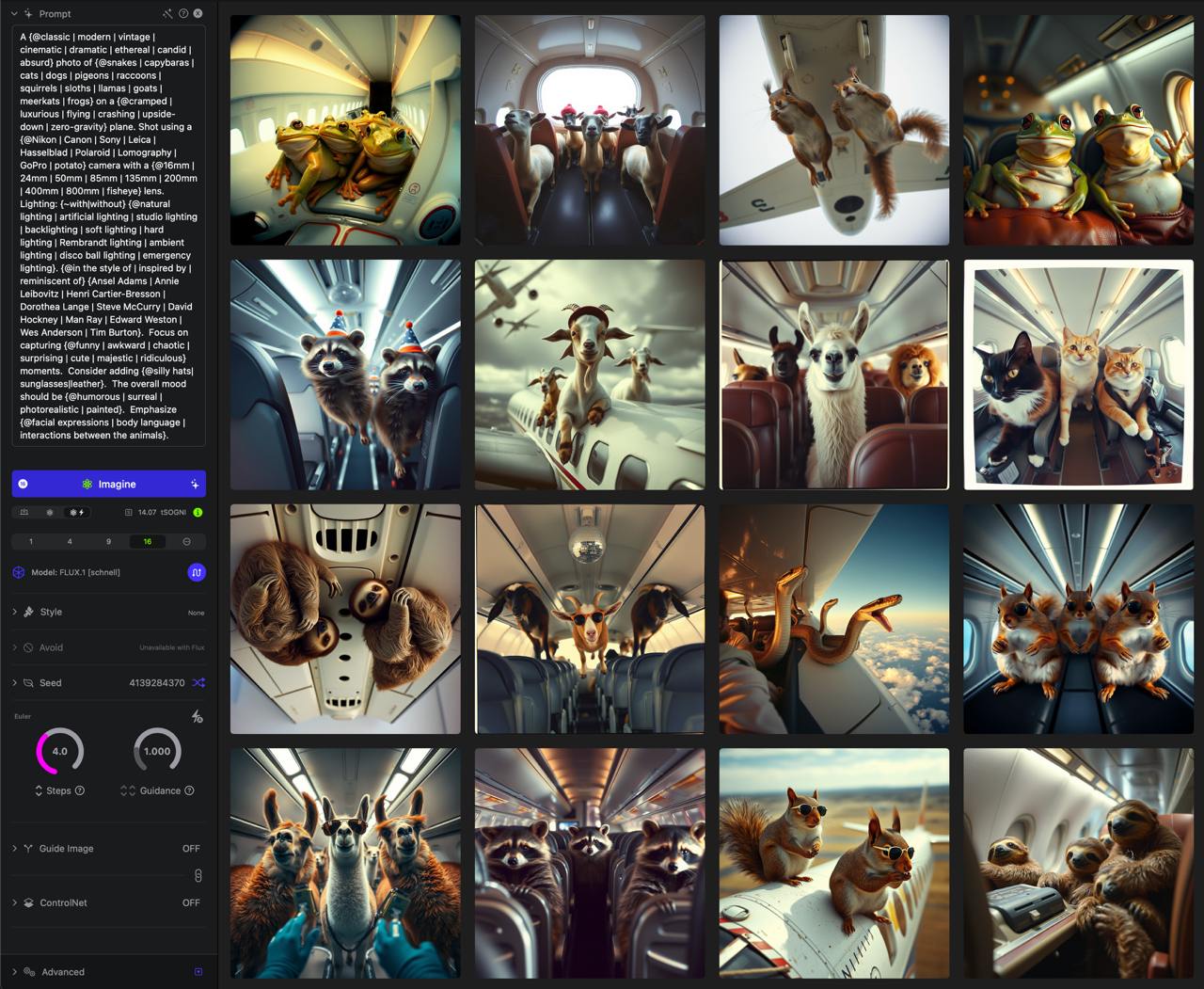
Using the random @ option to explore varied subjects, places, styles, and moods before narrowing in on a concept.
I {@love|hate|enjoy|miss} New York
A batch of 4 might generate:
I enjoy New York
I miss New York
I enjoy New York
I hate New York
#Weighted random — {@75::a|25::b}
Inside a random group, prefix any option with weight:: to bias the picks. Weights are relative; they don't need to sum to 100. Missing weights default to 1.
I {@75::love|25::hate} New York
Roughly 75% of the batch picks "love", 25% picks "hate". Great for NFT-style trait scarcity — common traits at high weight, rare traits at low weight.
#Mixing samplers
Combinatorial and random groups can coexist in the same prompt. Sogni expands the combinatorial part as usual and rolls the dice for the random part on each generated image.
I {love|hate|enjoy|miss} {@75::New York|25::Chicago}
A batch of 4 might generate:
I love New York
I hate Chicago
I enjoy New York
I miss New York
#Tips
- Lock the seed for clean comparisons. Fix the seed before generating a dynamic-prompt batch and the only thing varying between images is the text — same composition, same lighting, just a different subject or color.
- Pair with ControlNet or a guide image. A locked seed plus a pose reference is the fastest way to get a consistent character sheet that swaps clothing, age, or expression.
- Request enough images. If your prompt has 8 combinations and your batch is only 4, you'll see half the variants. Bump the count to cover the full expansion.
- Watch the order. Results come back in completion order, not in prompt order — workers render in parallel and finish at different times.
- Use in any prompt field. The syntax works in Prompt, Style, and Avoid / Negative Prompt independently.
#See also
- Prompt Enhancer — turn a seed idea into a richer prompt before you template it.
- Prompt length & token limits — how long expanded prompts can get.
- Generation seed — locking the seed for clean comparisons.
- Prompt engineering tutorial — video walkthrough.