
Telegram Sticker Bot
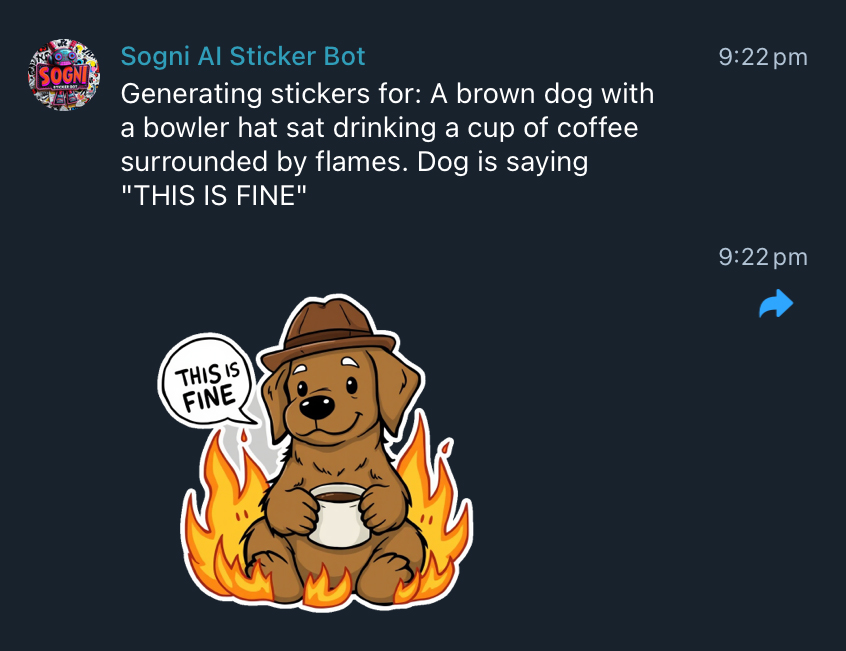
The Sogni Sticker Bot turns a chat prompt into shareable stickers. Type !generate <prompt> in Telegram or Discord and the bot generates the images on the Sogni Supernet, removes the background, and returns sticker-ready files. Use the official bot or self-host your own from the open-source repo.
#Open @SogniAIbot on Telegram →
#What it does
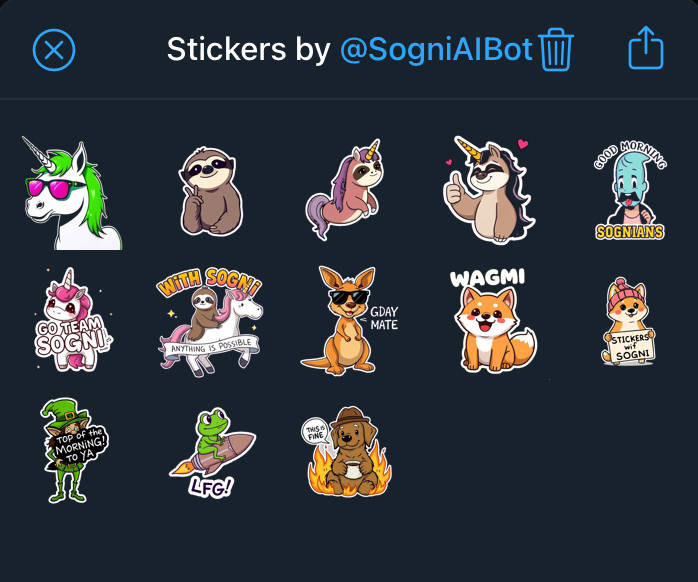
!generate <prompt>in any chat the bot can read — returns a small set of stickers based on your text.!repeatgenerates more variations on your previous prompt.- Automatic background removal so the output is already sticker-shaped — no manual cleanup.
- Cross-platform. The same code runs as a Telegram bot, a Discord bot, or both at once depending on which tokens are set.
- Admin moderation. Slash commands (
/addwhitelist,/addblacklist,/listwhitelist,/clearblacklist) let group admins control which words are allowed.
#Use the official bot
- Telegram: @SogniAIbot — start a DM or invite it into a group.
- Discord: join the official Sogni Community server where the bot already runs.
Group admins can invite the official bot to their own community and configure whitelists/blacklists without hosting anything.
#Self-host your own
The bot is published on npm as @sogni-ai/sogni-sticker-bot and runs both platforms from one process.
git clone https://github.com/Sogni-AI/sogni-sticker-bot.git
cd sogni-sticker-bot
npm install
Create a .env:
TELEGRAM_BOT_TOKEN=xxx          # from @BotFather
DISCORD_BOT_TOKEN=yyy           # from Discord Developer Portal
SOGNI_USERNAME=mySogniUsername
SOGNI_PASSWORD=mySogniPassword
APP_ID=stickerbot
SOGNI_BOT_DATA_DIR=./data
Run it:
npm start
# or under PM2
pm2 start ecosystem.config.js
Sign up for a free Sogni account at app.sogni.ai — Telegram and Discord tokens come from @BotFather and the Discord Developer Portal respectively. Leave one token unset to run a single-platform bot.
#Workflows
Quick reaction stickers. Drop a one-liner like !generate a smiling kangaroo wearing sunglasses saying "GDAY MATE" and use the result in the same conversation.
Custom sticker pack. Generate several stickers across a theme, save the .webp files, and build a Telegram sticker pack with @Stickers — see the Telegram sticker pack docs for the upload step.
Community-moderated bot. Set a whitelist on a public group (/addwhitelist cat,dog,sloth) so only certain prompts trigger generations, and a blacklist to block spammy or unsafe terms.
#Tips for getting started
- Save the result with the
.webpextension. Telegram's sticker pack uploader rejects.file— rename the download before adding it to a pack. - Short, vivid prompts. Stickers are tiny; the bot does best on a single subject with strong silhouette.
!repeatis your friend. Generation is non-deterministic; the cheapest way to get a better take is to repeat the same prompt.- Run both platforms with one process. The same install handles Telegram and Discord — only the platform with a token configured connects.
#See also
- Sogni Photobooth — Web and Android — selfie-to-portrait variant of the same Supernet.
- Sogni Chat — conversational creative studio with image, video, and music tools.
- Sogni Client SDK — the SDK the bot is built on.
- Source on GitHub