
Start & End Frames
Reference frames guide how a video begins and ends by anchoring the first and/or last frame of the clip. This helps preserve subject continuity, composition, and visual style across the animation.
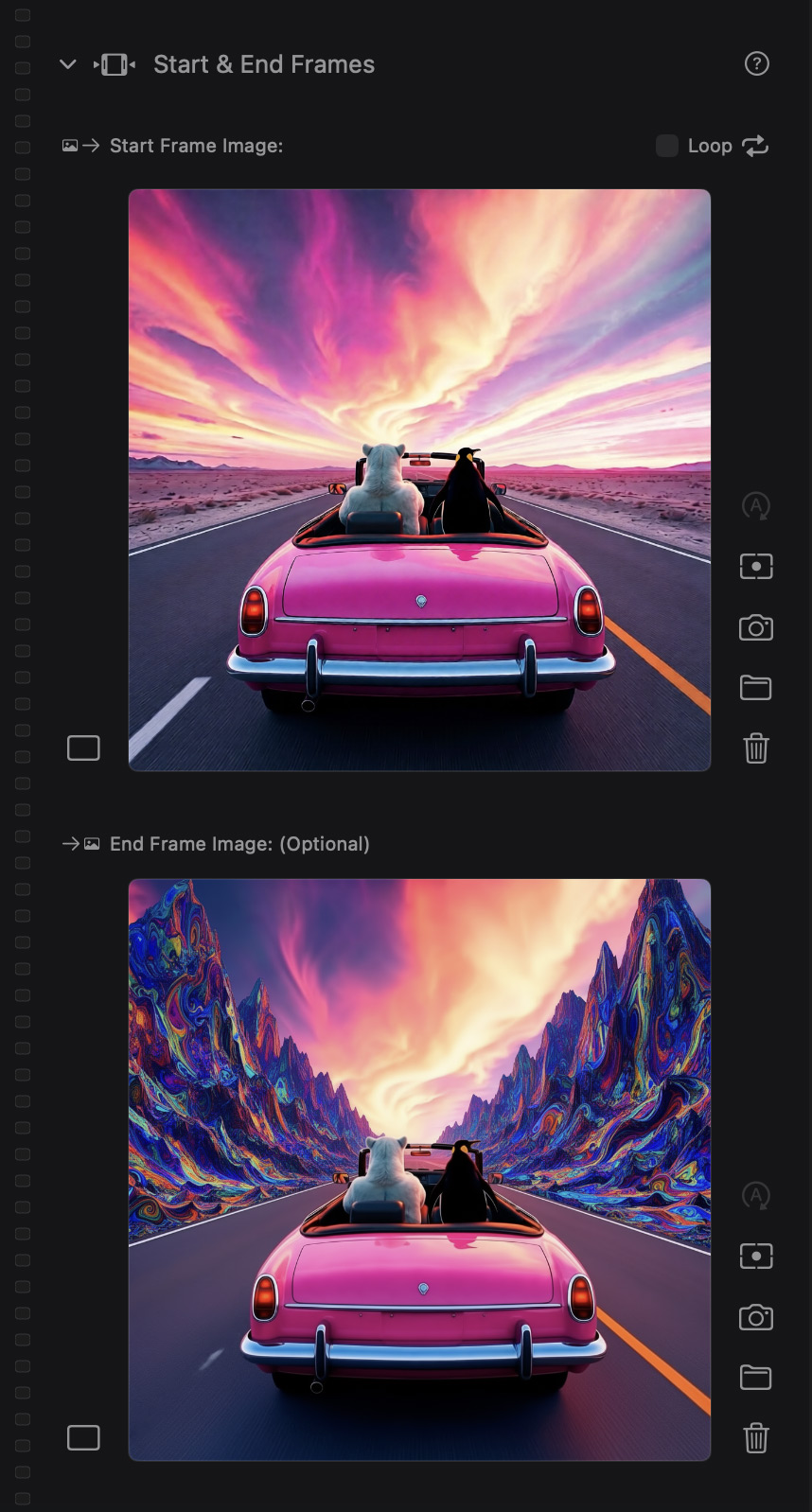
Start & End Frames side-bar module
Using a Start Frame is especially useful for extending or chaining clips—by setting the last frame of a previous clip as the next clip’s start frame, you can create smoother transitions and longer sequences with consistent motion and identity.
The End Frame is optional, but can be used to steer where the motion resolves, reduce drift, or encourage cleaner loops.
First & Last Frame is one of the best tools for continuity and extending clips across generations.
#Why it matters
Video models are great at motion, but they can drift. Reference frames help anchor the clip.
Use it to:
- Maintain the subject’s identity and composition
- Steer the clip toward a specific end pose or moment
- Create smoother loops
- Extend sequences across multiple clips
#How it works
- Start frame reference: Sets the initial look and composition.
- End frame reference: Guides where the clip lands.
Pro move for extending clips
- Generate a clip you like.
- Take the End frame from that clip.
- Use it as the Start frame reference for the next clip.
- Repeat to build longer sequences with better continuity.